
Spawner - Max For Live Workflow Tool
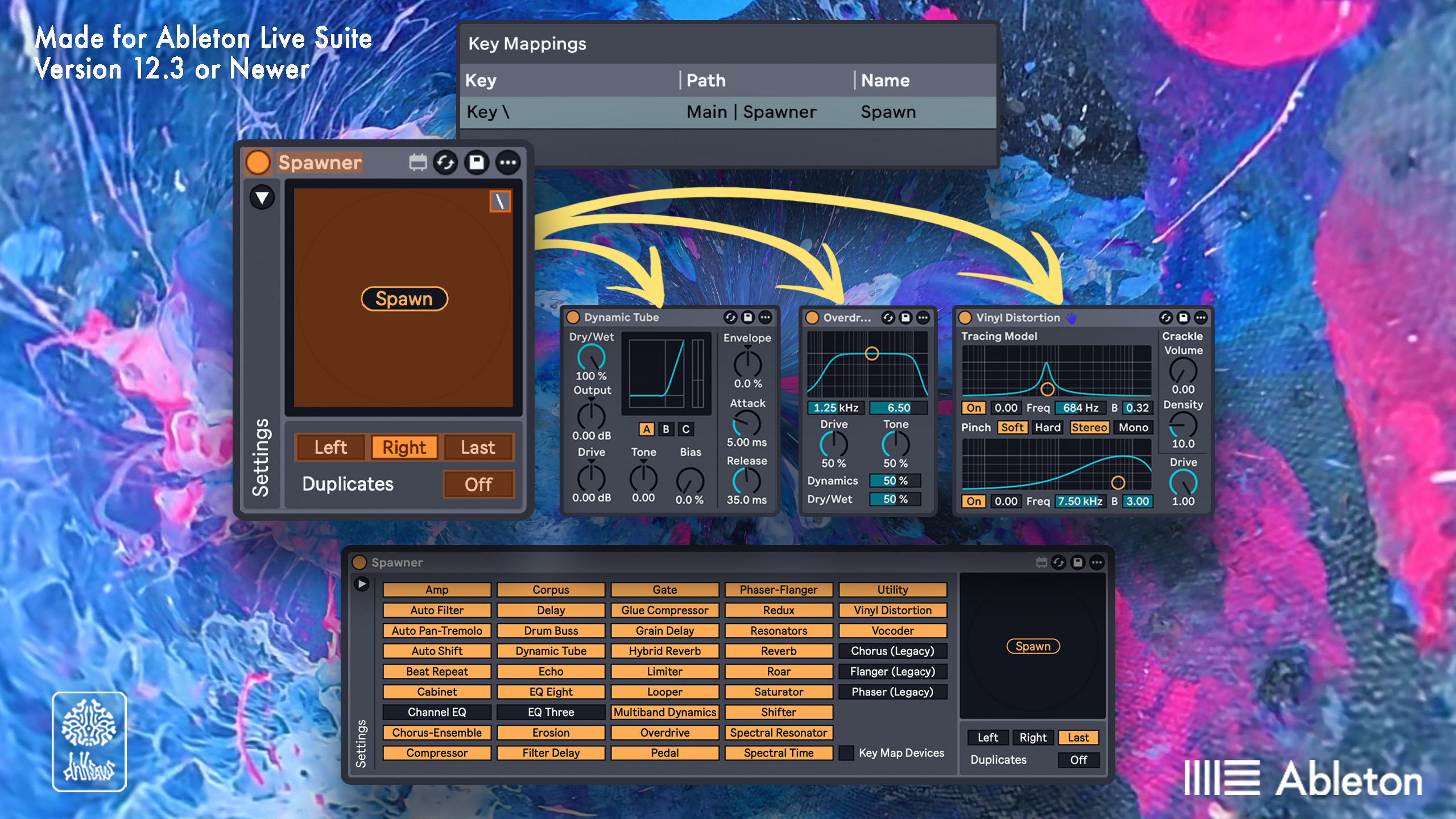
Spawner is a utility that inserts a random stock audio effect on the currently selected track.
The ideal use case is to place it on your master channel, key map (Cmd+K) the "Spawn" button to something like "\" on your keyboard, so whenever you need a random effect to break creative block, you can spawn one on your current track!
You can disable specific devices from spawning in the settings tab, or even key map specific ones to spawn.
You can also specify where in the chain to spawn the device in relation to the currently selected device:
Left - Spawns to the left of currently selected device
Right - Spawns to the right of currently selected device
Last - Spawns at the end of the chain (Live default)
You can also toggle the ability to not repeat spawning the same device until all have been spawned.
Note that this device does not support spawning stock Max for Live devices such as LFO, Color Limiter, or Pitchloop89.
Update Log
- •Added ability to
- ◦Disable specific devices from spawningSpecify position in a chain to spawn device in relation to the currently selected deviceKey map specific devices to spawnSpawn legacy versions of Chorus, Phaser, and Flanger
- ◦Disable specific devices from spawning
- ◦Specify position in a chain to spawn device in relation to the currently selected device
- ◦Key map specific devices to spawn
- •Spawn legacy versions of Chorus, Phaser, and Flanger
- •Beta Release
You can also get this device in the All Max for Live Devices Bundle, which includes every device I sell plus future ones at a significantly reduced price.
This device requires Ableton Live 12.3 Suite or newer, or Live 12.3 Standard with a max for live license.
Please email support@dnksaus.com for bug reports or device suggestions.