
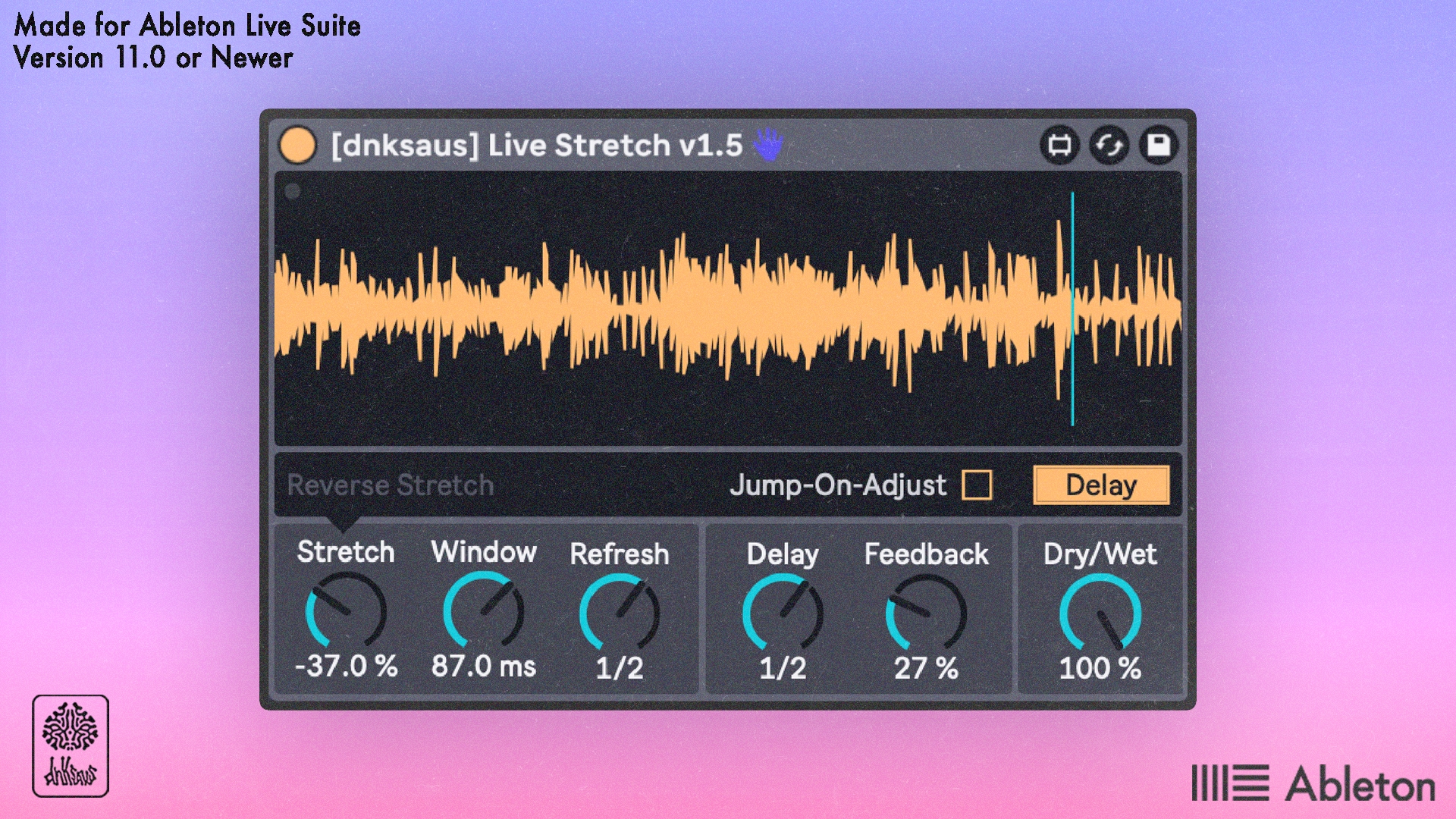
Live Stretch - Max For Live Audio Effect
Live Stretch is a real-time audio stretcher effect.
Similar to Texture Warp Mode in Ableton's audio clips, and stretch mode in Ableton's Drum Sampler, this device can granularly extend or shrink down audio, except this device performs the effect as audio is being fed into it, making it great for playing or recording live.
The incoming sound is being read through a buffer with a memory of up to 10 seconds so that audio can be stretched forward or in reverse as it's playing.
The main controls consist of:
Stretch knob, which defines how much the audio will be extended, either in forward, reverse, or holding a position
Includes "vary" control to randomize the stretch amount on each refresh
Window Knob, which defines the length of chunks of the audio that will be played. This can be thought of as "Resolution" or "Grain Size". Shorter times will be more instantaneous, while longer times can cause a scrubbing loop effect.
This can be defined in milliseconds or synced rate to project tempo
Includes "vary" control to randomize the window size on each refresh
Refresh Knob, which defines how often the stretcher will jump to the current point in time. Short times will jump to the current position faster while longer times will retain the stretch region for full effect.
This can be defined in milliseconds or synced rate to project tempo
Can be turned off
While testing this effect with a Dry/Wet knob, I realized how well this could work additionally as a background texture/delay to create space or enhance sounds, so I added a delay mode as well as ducking to let the dry signal shine through if desired.
The delay mode consists of:
Delay + Feedback Knobs, which have multiple modes that can be adjusted in the dynamic control bar. Some of these controls include
Can be set in either milliseconds or synced rate to project tempo
Ping-Pong mode
Repitch off/on modes
Filter Mode (similar to Live's stock delay)
Delay Off/On button, if delay is not a desired effect during use
You can also get this device in the All Max for Live Devices Bundle, which includes every device I sell plus future ones at a significantly reduced price.
This device requires Ableton Live 11 Suite or newer, or Live 11 Standard with a max for live license.
Please email support@dnksaus.com for bug reports or device suggestions.