
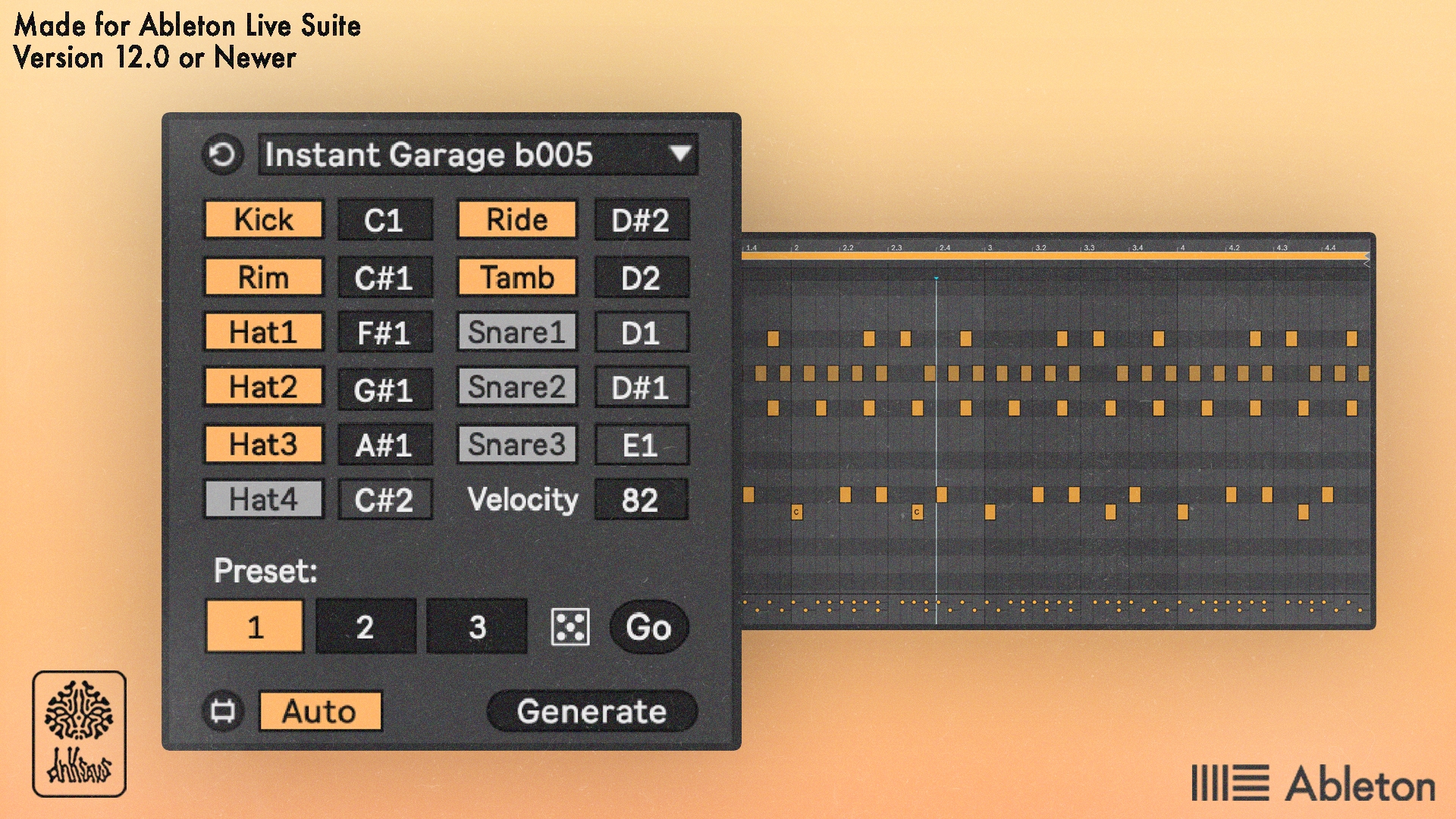
Instant Garage - Max For Live MIDI Tool
If you are lazy like me and you want a device that does nothing except generate three different Garage MIDI drum patterns, this device is for you!!
Different elements of the beat pattern can be shifted to different MIDI notes or can be removed completely.
I recommend using this with the stock Garage Kit as a starting point.
I do not plan on updating this device as of right now.
How to install and use:
Make sure there is a subfolder called “MIDI Tools” in the Ableton User Library folder. If there isn’t a MIDI Tools folder, create it!
Drag the .amxd file into the MIDI Tools folder
Create a MIDI clip
Inside the MIDI clip, find the "Generate" tab on the left side of the screen
Click the dropdown menu and select "Instant Garage b005"
From there you should be good to go!
If you do not follow these instructions and proceed to tell me that the device doesn't work, I will be very upset.
You can also get this device in the All Max for Live Devices Bundle, which includes every device I sell plus future ones at a significantly reduced price.
This device requires Ableton Live 12 Suite or newer, or Live 12 Standard with a max for live license.
Please email support@dnksaus.com for bug reports or device suggestions.